
Jenny Mod Gallery — How to Tell Real Screenshots From Fake Images
Jenny Mod gallery searches usually come from one simple want: telling a real screenshot from a fake. This Jenny Mod page is a spotting guide — it teaches you how to judge the images you meet online. The pictures on this page are real-screenshot-style pictures created for this site to illustrate each check; they are not verified genuine in-game captures. The actual character pictures live on our Characters page, where each character is profiled with her details underneath her picture.
One warning comes first, because it shapes the whole page. Most “Jenny Mod screenshots” on the wider internet are not screenshots at all — they are renders, edits, and pictures borrowed from other games and other mods. This page shows you how to tell the difference, and points you to where the real images on this site live.
Jenny Mod is an adult mod, and standard builds are reported to include adult content. This gallery deliberately keeps to safe, non-explicit views — characters, worlds, and everyday gameplay moments. The mod itself remains 18+ only, whatever the pictures show.
What This Gallery Shows
The images fall into three groups, and each group answers a different question. The character set shows who is in the mod and what each companion looks like. The gameplay set shows what playing with a companion actually looks like, moment to moment. The version set puts the builds side by side, so you can see how the original, the ports, and the phone add-ons differ.
Every set carries a caption that states what the image really shows. That sounds basic, but it is where most galleries online quietly mislead you. A caption that names the character and the build lets you check the picture against the facts, and the sections below use that same habit throughout.
The Characters, One by One
The largest set is the roster itself. Each companion is shown standing in a normal Minecraft world, in the game’s own light, so you see her model and textures the way they appear in play. The full set lives on our characters page, where every character is profiled with her details underneath her picture.
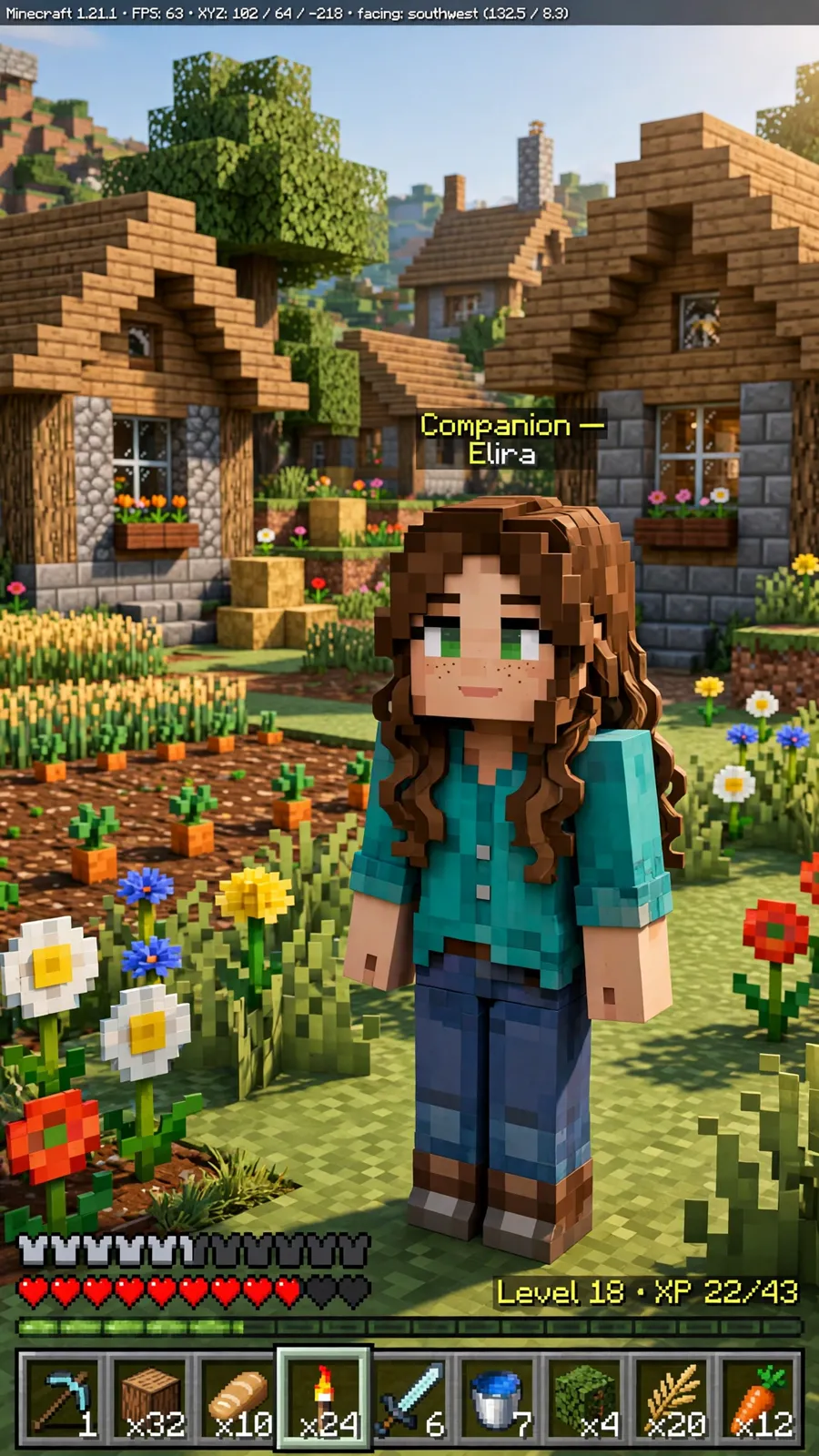
Caption: Illustrative real-screenshot-style portrait of a companion character (not a verified capture of a named character).
A caption like that does three jobs at once. It names the character, so you can compare her with the roster. It names the build, because a Jenny from the 1.12.2 original and a Jenny-lookalike from a phone add-on are not the same thing. And it admits the setting is ordinary, which is what honest gameplay pictures look like.
Everyday Gameplay Moments
The second set covers the moments players actually spend time in. Companions following you across a biome, a conversation on screen, a gift being handed over, building and exploring side by side. These are the situations the mod is built around, and the pictures show them without staging or dressing them up.
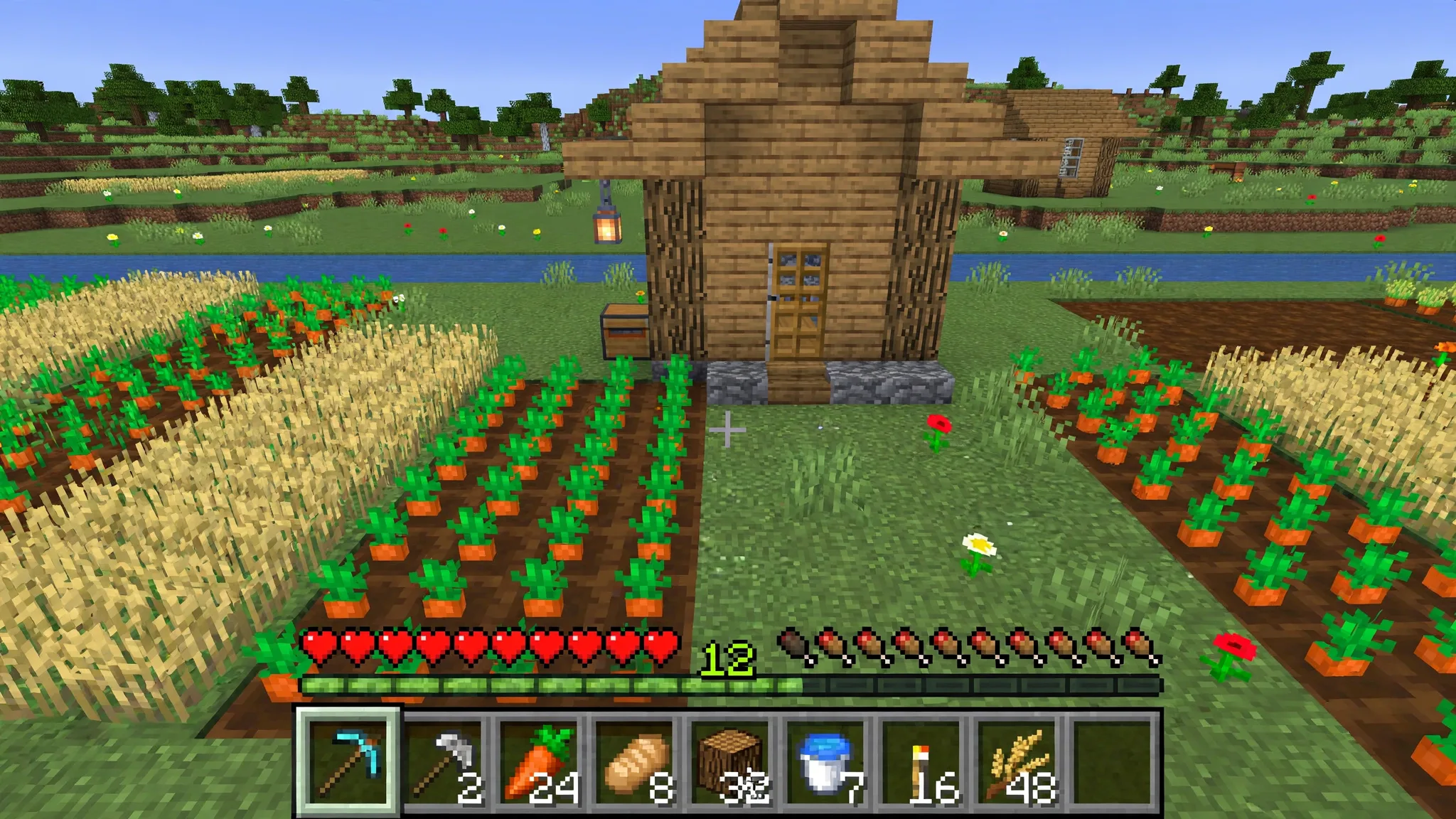
Caption: A companion following the player in the Java build — the follow behaviour is the heart of the mod, and it is visible in a single ordinary frame.
A still picture has limits, and the captions say so. A screenshot cannot show you how deep the dialogue goes, how the trust system feels over an hour, or how a companion behaves in a fight. For how a session actually plays, hour to hour, read our gameplay guide — the images here are the faces, and that page is the story.
For animations and GIFs, see the animations guide.
The Versions, Side by Side
The third set compares the builds directly. The original 1.12.2 Java mod is the fullest version, and its screenshots show the complete roster and the richest detail. The community ports for 1.19.2 and 1.20.1 look close at a glance, but their rosters are partial, and some characters are simply not there to photograph.
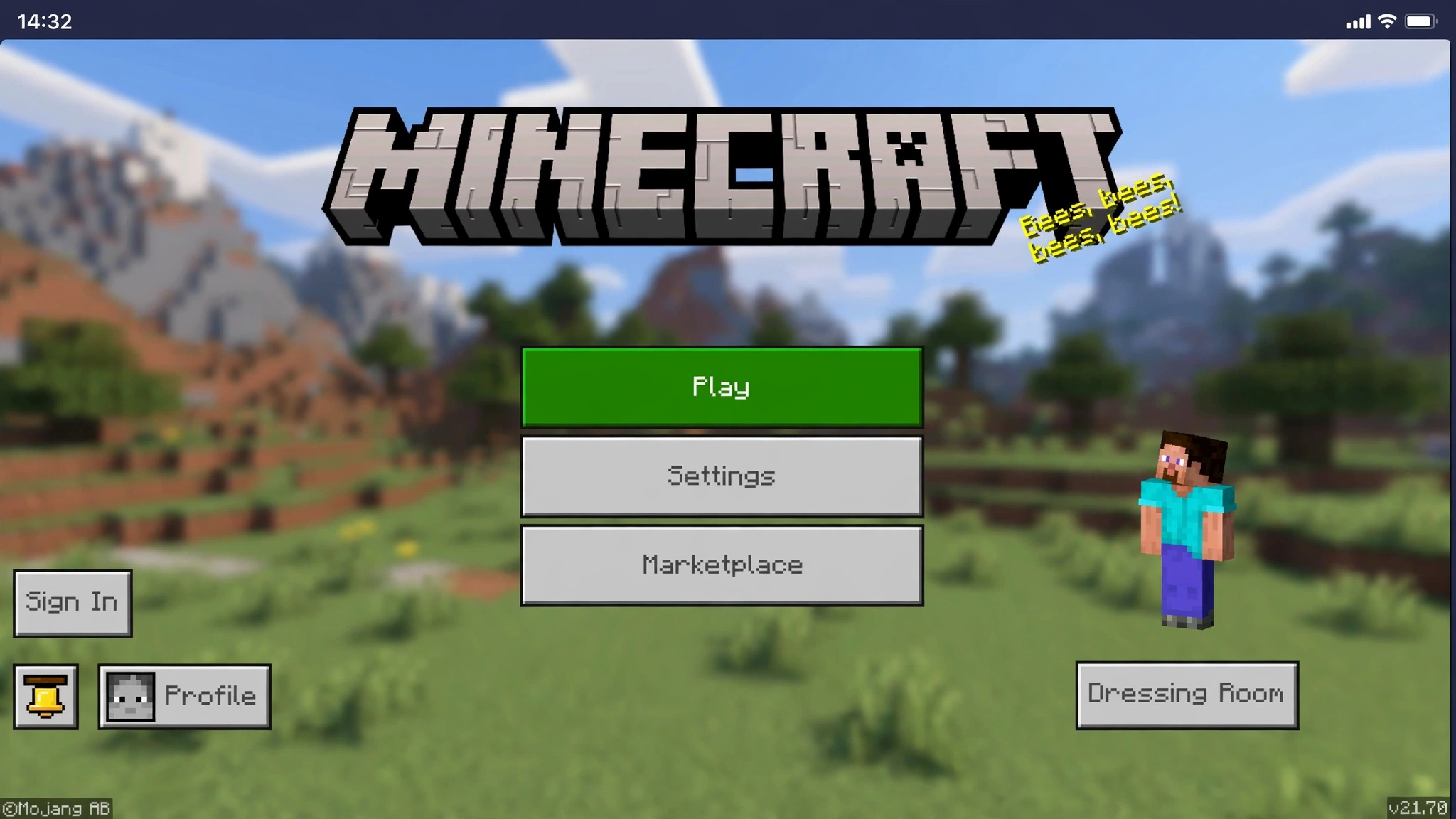
Caption: A companion character on the Bedrock fan add-on menu screen — the phone-style layout gives away that this is a phone build, not Java.
Bedrock add-on pictures give themselves away if you know the signs. Touch buttons on the edges of the frame mean a phone or tablet build. The models are simpler, the roster is one character or a few, and the world around them is plain Bedrock. None of that makes an add-on bad — it just makes it a different, smaller thing than the Java original.
How to Tell Real Screenshots From Fake Images
The HUD gives it away. A real Java screenshot shows the game’s interface — hearts, hunger, the hotbar along the bottom. A real Bedrock screenshot shows touch controls or the Bedrock layout instead. An image with no interface at all is usually a render, whatever the page under it claims.
The light is too perfect. Minecraft’s own lighting is flat and blocky, and real screenshots share that look. Glossy skin, soft studio shadows, and a blurred background behind the character mean the picture was rendered outside the game. AI-generated images fail the same test, often with hands, faces, or blocks that melt at the edges.
The character does not exist. Fake galleries invent companions, outfits, and scenes that appear in no build of the mod. The check is simple and takes a minute: compare the picture against the real roster on our characters page. If she is not in any build’s roster, the image is not a screenshot of this mod.
It came from somewhere else. Some “Jenny Mod” pictures are anime art, frames from other games, or shots of entirely different mods with a new label pasted on. Cropped watermarks and stretched video thumbnails are the usual fingerprints. When a gallery will not say where an image came from, that silence is the answer.
Where to See Each Character
Every character in the mod can be seen on our characters page, which carries a picture and details for the full roster. Jenny Belle, Ellie, Luna, Allie, and Galath are there, along with Bia Prowell, Bee, the Slime Girl, Manglelie, and the Kobold and Goblin girls. The page also shows the extra companions the homepage introduces — Creeper Girl, Zombie Girl, and Enderwoman — with their status marked honestly as unverified.
Keep one limit in mind while you browse. The complete roster exists in the original Java build, so the full gallery really describes 1.12.2. A port may carry only part of the cast, and a Bedrock add-on usually carries one companion or a few. If a character is missing from your build, no gallery picture can add her — the file itself is the limit.
Take Your Own Screenshots
Once the mod is installed, your own pictures beat anyone’s gallery, because you know exactly which build produced them. On Java, the F2 key saves a screenshot to the screenshots folder inside your Minecraft folder. Pressing F1 hides the interface first, when you want a clean shot without the hotbar.
A fresh Creative test world is the best studio you have. Spawn the companions there, check who actually exists in your build, and photograph them in daylight. On Bedrock, your device’s normal screenshot shortcut does the same job. Either way, your captions write themselves: character, build, and moment — the three facts every honest gallery should give you.
For the files, see the download page.
For install steps, see the install guide.
The Short Version
Real Jenny Mod images are plainer than the internet’s versions, and that plainness is how you recognise them. Named character, named build, ordinary Minecraft light, interface on screen. Start with the roster on our characters page, see how a session plays in the gameplay guide, and judge every other gallery you meet by the same standard.
Frequently Asked Questions
Are the images in this gallery real gameplay screenshots?
The images on our pages are real-screenshot-style pictures created for this site to illustrate each check; they are not verified genuine in-game captures. Each picture’s caption states what it shows. The spotting checks in this article work on any gallery you meet — including ours — so run them on every image, wherever it comes from.
Why do Jenny Mod pictures on other sites look so different?
Because many of them are not this mod at all. Other galleries mix renders, AI images, shots from different games, and pictures of unrelated mods under one label. Different real builds also look different — a Bedrock add-on and the Java original share a name, not a look. When two galleries disagree, trust the one whose captions name the build.
Where can I see all the Jenny Mod characters in one place?
On our characters page, which profiles the full roster with a picture and details for each character. It covers the core companions from the original build and the extra characters our homepage cards show. It is also the fastest way to check whether a character in a random image actually exists.
Is there an official Jenny Mod gallery or image pack?
No. There is no official website, official gallery, or official image pack for this mod — the creator never published one. Any page calling its pictures “official Jenny Mod screenshots” is using the word as decoration. The mod is unofficial fan work, commonly credited to Schnurri_tv.
Do these screenshots show everything the mod contains?
No, and that is deliberate. Standard builds are reported to include adult content, and this site keeps its images and descriptions non-explicit. The gallery shows characters, worlds, and everyday gameplay only. The mod itself is still for adults (18+) only, even though the pictures here are safe to look at.
Can I use these images on my own site or channel?
We cannot give you rights we do not hold, and the mod’s own material belongs to its makers. The safe route is the one this article ends with: install the mod and capture your own screenshots. Your own pictures are yours to use, and they will match your build exactly.
Can I download these pictures as wallpapers?
You may download a picture for personal use, such as a wallpaper, where the picture is the site’s own. Do not re-upload site pictures as your own work, and do not present a site-created picture as a verified genuine capture. The pictures on this page are site-created real-screenshot-style pictures, not verified genuine captures.
Where can I find Jenny Mod videos and GIFs?
For moving pictures, see the animations guide. The same honesty rule applies: record your own gameplay, and label the build the clip shows. Do not present another player’s clip as your own recording.

